

Lost Emirates ID in the UAE? Complete replacement process, documents and fees explained.
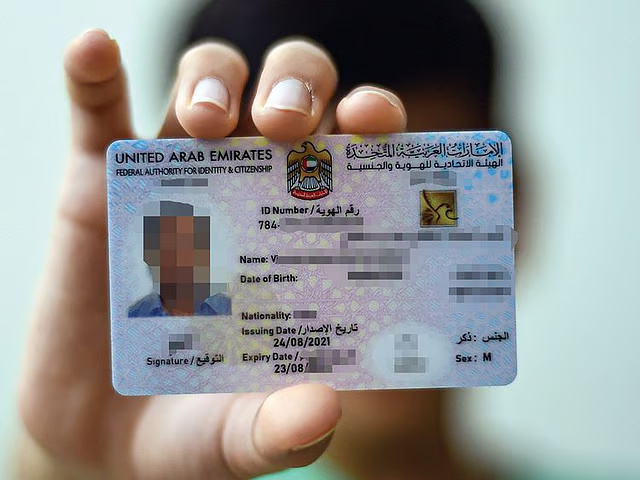
Dubai: If your Emirates ID is lost, stolen or damaged, you can apply for a replacement quickly using your mobile phone.
The process can be completed through the official UAEICP app developed by the Federal Authority for Identity, Citizenship, Customs and Port Security (ICP). This guide covers how to report the issue, required documents, the online application process, applicable fees and how to track your replacement request.
Step 1: Report the incident
As soon as you discover that your Emirates ID has been lost or stolen, you should report the incident at the nearest ICP Customer Happiness Centre. Reporting the loss ensures that the old card is deactivated and helps prevent any misuse.
You can find the nearest centre through the ICP website.
If your Emirates ID is damaged, you should bring the damaged card with you when visiting the ICP Customer Happiness Centre.
If the card has been lost or stolen, carry a copy of the Emirates ID if available. If you do not have a copy, ICP can verify your ID number or provide a copy of the lost card details through its system.
Step 2: Prepare the required documents
When reporting your lost, stolen or damaged Emirates ID to ICP, you will need to provide the required documents to complete the replacement process.
Required documents
When applying for an Emirates ID replacement, applicants must provide the following mandatory documents:
Mandatory documents:
- Original passport
- Valid passport copy
- Copy of residence visa
- Recent coloured passport-sized photograph that meets ICP requirements
Additional documents (depending on the applicant’s situation):
- Copy of the previous Emirates ID (front and back)
- Sponsor’s passport copy
- Father’s passport copy and Emirates ID (for dependents under the father’s sponsorship)
- Original entry permit
- Birth certificate
- Disability certificate
ICP officials may request additional documents depending on the applicant’s residency status and individual circumstances.
Step 3: Apply for Emirates ID replacement online
You can complete the Emirates ID replacement application entirely from your mobile phone through the UAEICP app.
1. Download and sign in
- Download the UAEICP app from the App Store or Google Play.
- Sign in using UAE Pass for faster processing (recommended).
- If you do not have UAE Pass, create an ICP account using your email address.
2. Find the service
- Open the app menu and search for “Replace Emirates ID for Residents”.
- Select the service and tap Start Service.
3. Complete the application
Fill in the required details and provide the requested information to submit your Emirates ID replacement request.
The UAEICP app will guide you through several sections where you need to review and provide the required information:
User Data
If you sign in using UAE Pass, many details will be filled in automatically, including your name, nationality, sponsor number and passport information.
Identification Information
Confirm your identification details, including:
- Unified Number
- Emirates ID number
- Previous card expiry date
You will also need to select the reason for replacement:
- Change of passport
- Defective card
- Lost or stolen card
Beneficiary Information
Enter personal details such as:
- Nationality
- Place of birth (in English and Arabic)
- Religion
- Marital status
- Qualification
- Profession
- Work type (student, private sector, free zone or government)
Signature Option
You can choose whether to update the signature on your new Emirates ID.
If you select this option, you will need to visit an ICP centre after submitting the application to complete the signature update.
Passport Details
Provide your passport information, including:
- Passport number
- Issue and expiry dates
- Issuing authority
Residence and Contact Details
Enter your UAE residential address, mobile number and email address.
Address Outside the UAE (if applicable)
Provide your permanent country, overseas address and mobile number.
Delivery Address
Choose how you want to receive your replacement card:
- Collection from a courier office
- Delivery to your home or office address
4. Upload documents
Upload the required documents along with a recent passport-sized photograph that meets ICP guidelines. You can also attach any optional supporting documents, if applicable.
5. Review application
Carefully review all the information entered in the application before submitting it. Check that your personal details, uploaded documents and contact information are accurate to avoid delays in processing.
Carefully check all information entered in the application before submitting. Ensure that your personal details, documents and contact information are accurate to avoid delays in processing.
6. Make the payment
- Pay the required fees using a debit or credit card, or select the “pay later” option if available.
- After successful payment, you will receive a request number by email, which can be used to track your application.
Step 4: Track your Emirates ID replacement
You can check the status of your application online:
- Visit the ICP Smart Services portal.
- Enter your request number in the Quick Search bar.
- The system will display the current stage of your application.
Step 5: Emirates ID delivery
Once your new card is ready:
Once your replacement Emirates ID is ready:
- You will receive an SMS from Emirates Post or Zajel with details for card collection.
- If you selected home or office delivery, the courier will contact you with the delivery date and time.
Important: The replacement card will have the same expiry date as the lost or damaged Emirates ID.
Emirates ID replacement fees
The total cost of replacing an Emirates ID online is Dh451.40, which includes:
- Dh300 – Emirates ID card issuance fee
- Dh29.40 – E-service fees
- Dh122 – ICP fees