

How to access your digital Emirates ID if your physical card is lost, damaged or under renewal.
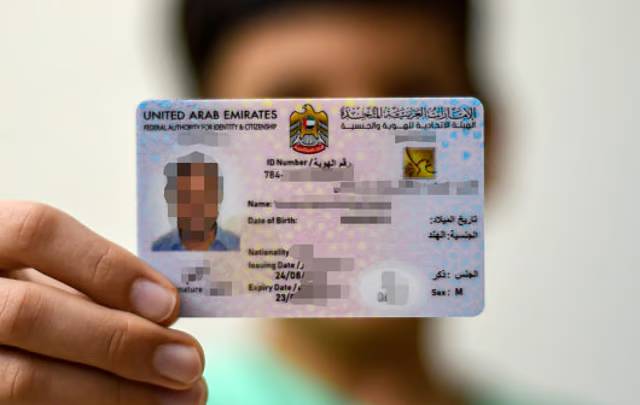
Dubai: Your Emirates ID is one of the most important identification documents in the UAE, serving as official proof of identity and residency. Residents are required to carry their Emirates ID at all times. But what happens if your card is lost, damaged, misplaced or being renewed?
If your Emirates ID is lost, you should immediately report it to the Federal Authority for Identity, Citizenship, Customs and Port Security (ICP) and begin the process of applying for a replacement.
While waiting for your new card, you can still access a digital version of your Emirates ID free of charge.
Keeping a digital copy on your smartphone can be particularly useful when accessing government services, completing online applications or verifying your identity when your physical card is temporarily unavailable.
Here are four ways to access your digital Emirates ID in the UAE.
1. Add your Emirates ID to Apple Wallet (Apple devices only)
The ICP allows Apple device users to add their Emirates ID directly to Apple Wallet, making it easier to access their identification details whenever needed.
Follow these simple steps:
- Download the official UAEICP app on your Apple device and sign in using UAE Pass.
- Navigate to the Emirates ID section and select your name to view your digital identification card.
- Tap the Add to Apple Wallet option.
- Follow the on-screen instructions to save your Emirates ID to Apple Wallet.
Once added, your Emirates ID can be accessed conveniently through your phone’s digital wallet.
2. Access your Emirates ID through UAE Pass (available on supported devices)
UAE Pass is the UAE’s national digital identity platform, allowing residents to securely access thousands of government and private-sector services using a single digital account.
The app also provides access to digital documents and identity verification features, making it a convenient option for residents who need to access their identification information without relying on a physical card.
To access your Emirates ID through the UAE Pass app, follow these steps:
- Download the UAE Pass app on your smartphone.
- Sign in using your UAE Pass credentials.
- Once logged in, select Add Documents.
- Under the Personal section, locate Emirates ID and tap Request.
- After a few minutes, your digital Emirates ID should appear in the Documents section of the app.
This service is available on both Apple and Android devices, allowing users to access their identification details conveniently.
3. View and download your Emirates ID through the UAEICP app
The official UAEICP app provides another convenient way for residents to access their digital Emirates ID. Available on both Apple and Android devices, the app allows users to view their identification details and download a copy directly to their smartphones.
Follow these steps:
- Download and open the official UAEICP app.
- Sign in using your UAE Pass account.
- From the homepage, select Emirates ID.
- Tap your name to display your digital Emirates ID.
- Select the download option to save a PDF copy of your identification card.
The downloaded PDF can be stored on your phone for offline access, making it particularly useful when you need to upload your Emirates ID for online applications or attach it to documents.
Having a saved copy also means you can access your identification details without an internet connection.
4. Generate a QR code for temporary Emirates ID verification
If your Emirates ID has expired or your new card is still being processed, the UAEICP app also offers a QR code feature that can be used for identity verification during certain government and other official transactions.
Here’s how to generate your Emirates ID QR code:
- Open the UAEICP app and select Emirates ID QR Code from the homepage.
- Choose one of the available verification methods:
- By mobile number: Enter your Emirates ID number or unified identification number.
- By personal information: Provide your nationality, passport type, passport number, date of birth and sponsor number. Enter ‘0’ if you have no dependents, where applicable.
- Submit the required details.
- The app will generate a QR code containing your Emirates ID information.
- You can also view your Emirates ID number, unified number and expiry date displayed beneath the QR code.
The QR code can be scanned by government departments and participating organisations to verify your identification details, offering a convenient temporary alternative while you wait for your physical Emirates ID.
However, acceptance may vary depending on the service provider and the type of transaction.
Whether your Emirates ID has been lost, damaged or is undergoing renewal, these digital options make it easier to access your identification details and continue using essential services.
From saving your Emirates ID in Apple Wallet to downloading a PDF through the UAEICP app or generating a QR code, residents have several convenient ways to access their identification information without relying solely on the physical card.